
In the world of live streaming, Twitch has emerged as the go-to platform for gamers and content creators. With millions of users and a dedicated community, Twitch offers a unique opportunity for streamers to showcase their skills and build a following. However, in order to truly understand and improve their performance on Twitch, streamers need to track and measure their success. This article will delve into the importance of measuring Twitch success and provide insights into how streamers can effectively track their metrics.
Key Takeaways
- Measuring Twitch success is crucial for improving streaming performance.
- Twitch followers are important because they represent a loyal audience.
- Tools like TwitchTracker and Streamlabs can help track Twitch followers.
- Twitch TV views are a key metric for measuring success and engagement.
- Monthly Twitch TV views provide insight into long-term growth and trends.
What Are Twitch Followers and Why Are They Important?
Twitch followers are users who have chosen to subscribe to a streamer’s channel in order to receive updates and notifications whenever the streamer goes live. These followers are crucial for streamers as they represent a loyal fan base that actively engages with their content. The number of followers a streamer has can be seen as a measure of their popularity and influence within the Twitch community.
Having a large number of followers can greatly impact a streamer’s success. Firstly, it increases their visibility on the platform, making it more likely for new viewers to discover their channel. Additionally, followers are more likely to tune in to a streamer’s broadcasts, which can lead to higher viewer counts and increased engagement. This, in turn, can attract sponsors and advertisers who are looking to reach a large audience.
How to Track Twitch Followers: Tools and Strategies
Tracking Twitch followers is essential for streamers who want to gauge their growth and engagement on the platform. Fortunately, there are several tools and strategies available to help streamers track their follower count.
One popular tool is TwitchTracker, which provides detailed analytics on a streamer’s channel, including follower growth over time. Streamers can also use social media platforms like Twitter or Instagram to track their follower count by regularly posting updates about their Twitch channel and monitoring the number of new followers they gain.
To increase their follower count, streamers can employ various strategies. One effective method is to engage with their audience by responding to comments and questions during their streams. This creates a sense of community and encourages viewers to become followers. Streamers can also collaborate with other popular streamers or participate in Twitch events to gain exposure and attract new followers.
The Role of Twitch TV Views in Measuring Success
| Metrics | Description |
|---|---|
| Viewership | The number of unique viewers who watched the stream at least once. |
| Concurrent Viewers | The number of viewers who watched the stream at the same time. |
| Chat Activity | The number of messages sent in the chat during the stream. |
| Followers | The number of users who followed the channel during the stream. |
| Subscribers | The number of users who subscribed to the channel during the stream. |
| Average View Duration | The average amount of time viewers spent watching the stream. |
| Peak Viewers | The highest number of concurrent viewers during the stream. |
| Stream Length | The total length of the stream. |
While Twitch followers are important, another crucial metric for measuring success on the platform is Twitch TV views. Views represent the number of times a streamer’s content has been watched by viewers. This metric is significant as it provides insight into the reach and popularity of a streamer’s broadcasts.
Twitch TV views can have a direct impact on a streamer’s revenue and growth. Higher view counts can attract sponsors and advertisers who are looking to partner with popular streamers. Additionally, views can also contribute to a streamer’s revenue through ad revenue sharing programs or donations from viewers. Therefore, tracking and increasing Twitch TV views is essential for streamers who want to monetize their content and grow their channel.
How to Measure Twitch TV Views: Best Practices and Tips
Measuring Twitch TV views requires streamers to utilize various tools and strategies. One of the most effective ways to track views is through the Twitch analytics dashboard, which provides detailed information on a streamer’s viewership, including average viewers, peak viewers, and total views.
Streamers can also use third-party tools like StreamElements or Streamlabs OBS to track their view counts. These tools offer additional features such as chat overlays and alerts, which can enhance the viewing experience for viewers and potentially increase engagement.
To increase Twitch TV views, streamers should focus on creating high-quality content that resonates with their target audience. This can include playing popular games, hosting interactive streams, or providing educational or entertaining commentary during gameplay. Additionally, promoting their streams on social media platforms and engaging with their audience can help attract more viewers and increase view counts.
The Significance of Monthly Twitch TV Views
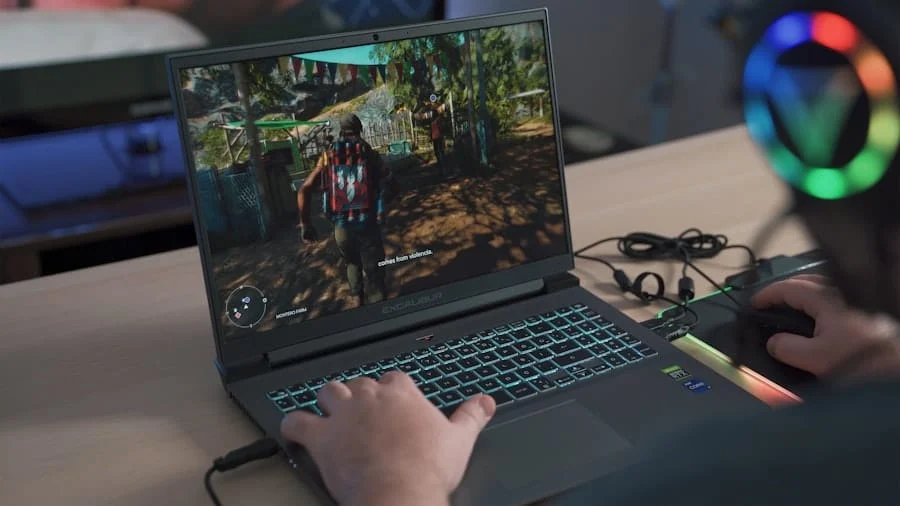
While tracking Twitch TV views is important, it is equally crucial for streamers to analyze their monthly view counts. Monthly views provide a broader perspective on a streamer’s viewership trends and patterns, allowing them to identify areas of growth or decline.
Monthly Twitch TV views can help streamers understand the impact of their content and promotional efforts over a longer period of time. For example, if a streamer notices a significant increase in views during a particular month, they can analyze their content and promotional strategies during that period to identify what resonated with their audience. This information can then be used to replicate successful strategies in the future.
How to Calculate Monthly Twitch TV Views: A Step-by-Step Guide
Calculating monthly Twitch TV views is a relatively straightforward process. To begin, streamers should access their Twitch analytics dashboard and navigate to the “Insights” section. Here, they will find a graph displaying their viewership over time.
To calculate monthly views, streamers should select the desired time frame (e.g., one month) and note the total number of views during that period. They can then repeat this process for each month they wish to analyze. By comparing the monthly view counts, streamers can gain valuable insights into their viewership trends and patterns.
Analyzing the Relationship Between Twitch Followers and TV Views
Understanding the relationship between Twitch followers and TV views is crucial for streamers who want to improve their streaming performance. While followers represent a loyal fan base, it is important to note that not all followers will actively engage with a streamer’s content.
Analyzing the correlation between follower count and view count can help streamers identify areas for improvement. For example, if a streamer has a large number of followers but consistently low view counts, it may indicate that their content is not resonating with their audience. In this case, the streamer can focus on creating more engaging and entertaining streams to increase viewer engagement.
Conversely, if a streamer has a high follower count and consistently high view counts, it may indicate that their content is resonating well with their audience. In this scenario, the streamer can focus on nurturing their existing fan base and exploring opportunities for growth, such as collaborating with other popular streamers or expanding their content offerings.
Other Metrics to Consider When Tracking Twitch Success
While Twitch followers and TV views are important metrics to track, there are several other metrics that streamers should consider when measuring their success on the platform. These metrics can provide valuable insights into a streamer’s performance and help them identify areas for improvement.
One such metric is average viewers, which represents the average number of viewers a streamer has during a particular broadcast. This metric is important as it indicates the level of engagement and interest in a streamer’s content. Streamers should strive to increase their average viewership by creating compelling and entertaining streams that keep viewers engaged.
Another important metric is chat activity, which measures the level of interaction and engagement between the streamer and their audience. High chat activity indicates an active and engaged community, while low chat activity may suggest that viewers are not actively participating in the stream. Streamers should encourage chat activity by responding to comments and questions, creating a welcoming and interactive environment for viewers.
Using Twitch Metrics to Improve Your Streaming Performance
In conclusion, measuring Twitch success is crucial for streamers who want to improve their streaming performance and grow their channel. By tracking metrics such as Twitch followers and TV views, streamers can gain valuable insights into their growth, engagement, and revenue potential.
Streamers should utilize tools and strategies to track these metrics effectively, while also focusing on increasing their follower count and view counts. By analyzing the relationship between followers and views, streamers can identify areas for improvement and tailor their content to better resonate with their audience.
Furthermore, streamers should consider other metrics such as average viewers and chat activity to gain a comprehensive understanding of their performance on Twitch. By using the information gathered from these metrics, streamers can make informed decisions to improve their streaming performance and ultimately achieve success on the platform. So, start tracking your Twitch metrics today and take your streaming career to new heights.
If you’re interested in measuring success on Twitch, you might also want to check out this article on YouTube Mastery Success Stories with Marketing Packages. It provides valuable insights into how content creators have achieved success on YouTube by leveraging effective marketing strategies. Discover the secrets behind their growth and learn how you can apply these techniques to your own Twitch channel. Read more
FAQs
What is Twitch?
Twitch is a live streaming platform that primarily focuses on video game streaming, but also includes streams related to music, art, and other creative content.
What are Twitch followers?
Twitch followers are users who have chosen to follow a particular Twitch channel. When a user follows a channel, they receive notifications when the channel goes live and can easily access the channel’s content.
How do you measure success with Twitch followers?
Success on Twitch can be measured in a variety of ways, including the number of followers a channel has, the number of concurrent viewers during a stream, the amount of revenue generated through subscriptions and donations, and the engagement and interaction between the streamer and their audience.
Why are Twitch followers important?
Twitch followers are important because they represent a dedicated audience that is interested in a particular channel’s content. Having a large number of followers can lead to increased visibility and growth for a channel, as well as potential revenue opportunities through subscriptions and donations.
How do you gain Twitch followers?
There are several ways to gain Twitch followers, including creating high-quality content, engaging with your audience through chat and social media, networking with other streamers, and promoting your channel through social media and other online platforms.
Can you buy Twitch followers?
While it is possible to buy Twitch followers, it is not recommended as it goes against Twitch’s terms of service and can result in account suspension or termination. Additionally, purchased followers are often fake accounts that do not engage with a channel’s content and provide no real value to the channel.